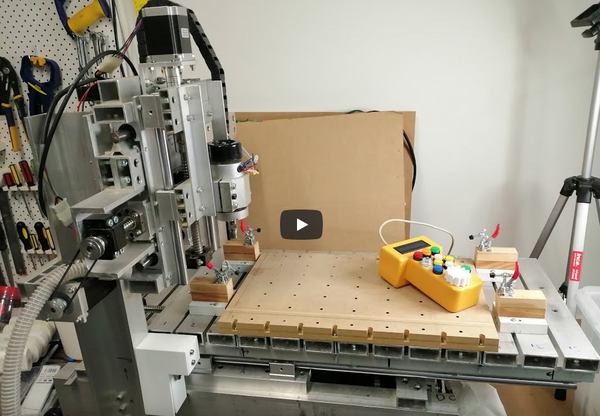
The Amazing Adventures of SpaceMouse
I recently ventured down the "Professional" CAD/CAM dark path, hand in hand with Autodesk's Fusion 360 and not really sure if the Big Bad Wolf is waiting behind the door at Grandmother's house. I cannot say that my selection process was rigorous - I looked at this one product, it seemed powerful, its free version does everything I need it to do, facing one steep learning curve is enough and it's parametric modelling methodology "clicked" with how I thought a decent 3D CAD application should work. Of course, using it is not without its frustrations, but I turn a blind eye as it still seems quite impressive.
One task that really drives me nuts is trying to manipulate the 3D model view with a mouse. I did not have the mental capacity to spare for learning the various keyboard/mouse button modifiers so was ending up with the model randomly spinning around until it eventually(sometimes not) landed in a suitable position. Soooo much wasted time and copious quantities of internal cursing. There just had to be a better input device to control the model view.
Searching around for viable options only came up with ONE device - the pricey (for the hobbiest) SpaceMouse.
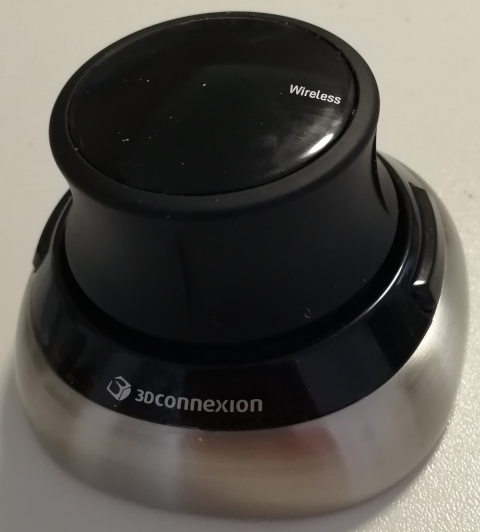
It took a few weeks of looking at YouTube video reviews and many wasted, frustration-filled, model mousing hours that the descision to purchase one at any cost was appropriately rationalised. With Christmas conveniently around the corner, it was easily classified as a "gift from my wife". I can't believe how long it took Amazon to ship it from the States - I can get things delivered from a fish market in Wuhan in half the time.
Eventually it arrived and my expectations were easily met - within a couple of days I was simultaneously mousing with my left hand and smoothly rotating, zooming, panning models with my right. My next frustration was that I had to move one or both hands to use the keyboard. So much effort for one fundamentally lazy. The SpaceMouse comes with a couple dinky little programmable buttons on the side. I didn't even bother to try and work out how to use them as I knew they would never cut it. The high-end SpaceMouse(Mice) products incorporate buttons and displays but only a real CAD shop could justify the price.
The whole purpose of learning to use a 3D CAD program is to design more sophisticated models for 3D printing or CNC Routing. My current project release cycle was paused while I designed and built a home for my SpaceMouse.
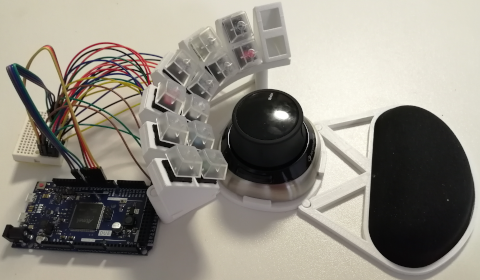
Now I have a docking station for the SpaceMouse, an integrated wrist rest and 12(soon to be 14 and some with coloured caps) easily(?) accessible buttons scanned by an Arduino Due R3 that is emulating a USB keyboard. Now the most frequently used commands are mapped to the SpaceMouse dock keys and once I force myself to use them and the numeric keypad, life (well, driving the CAD program) should be so much more efficient.
I discovered that designing is definitely complicated by the inclusion of ergonomics - just how much clearance does the index finger need when moving from its rest position? And more to the point, what is its rest position? Did I just move my hand as I took measurements with the other? Once you give up and enter into the "I think this should be good enough" realm, iterative design(repeated failure) becomes your friend.
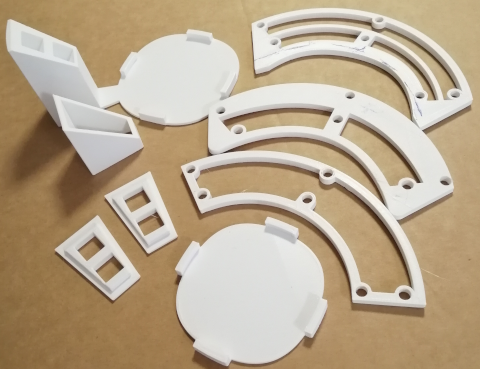
Building the project out of many interconnected/glued parts makes iteration quicker as only small parts need to be printed. One day I may get around to printing it all out in one piece with a fancy shell - but we all know that taking it beyond "functional" is usually left for those in an alternative reality...